
Admissions are the one process every institute runs every year, under deadline pressure, in the full view of students and parents. This guide covers the complete online admission process — what it is, who is involved, what it costs and saves, and how each stage works on a modern platform.
Introduction to the Online Admission Process
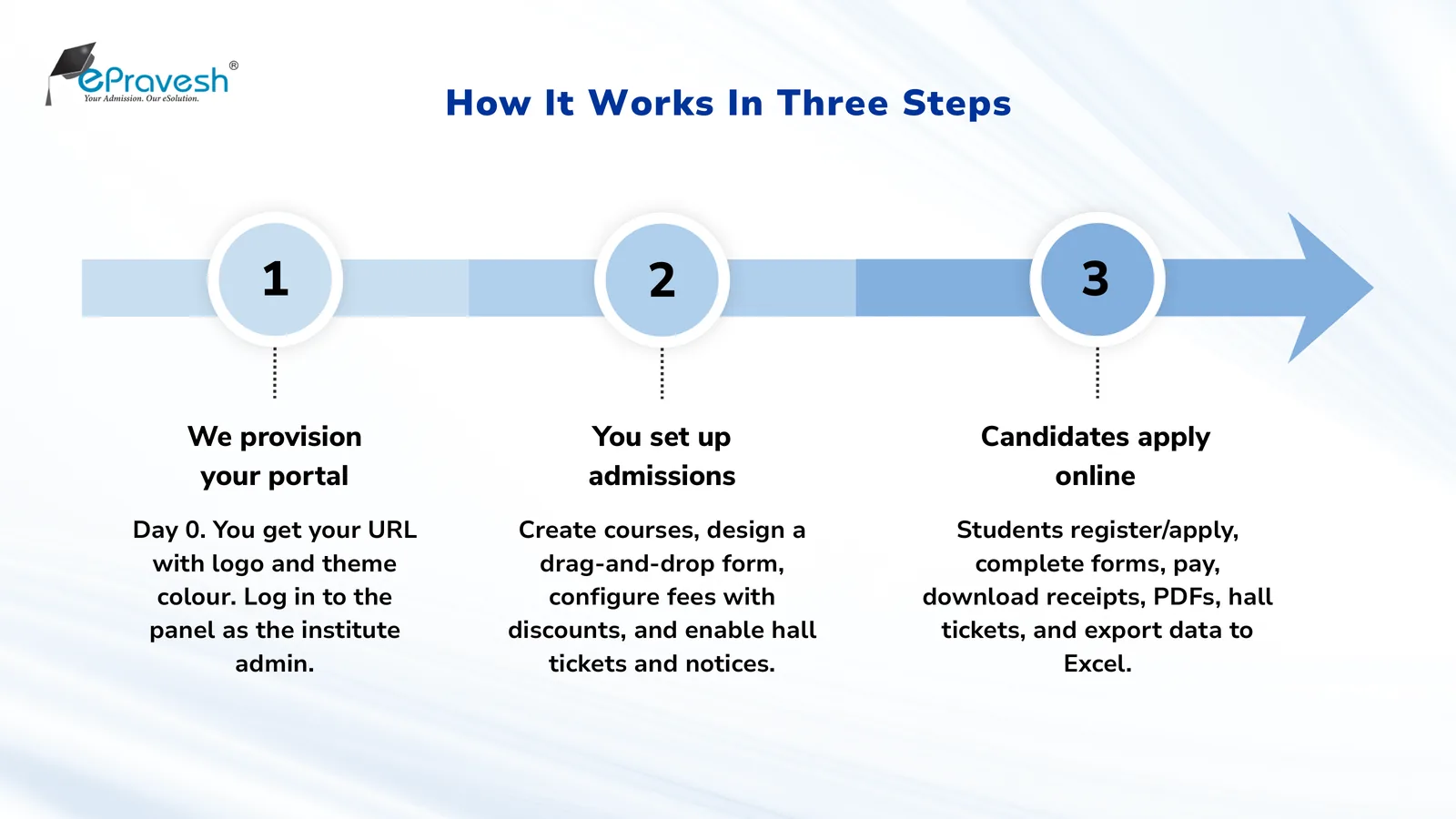
An online admission process moves the entire admission cycle — notification, application forms, fee payment, document collection, shortlisting and confirmation — onto a web platform that students use from any device.
The current generation of systems has removed even the sign-up barrier: on ePravesh, a student clicks Apply Now, fills the form and pays, and their account is created automatically from the application itself. Students can also sign in with Google, so there is no password to forget mid-season.
Importance of the Online Admission Process
The admission form is the first impression your institute makes. A process that works smoothly on a phone, accepts UPI, and answers status queries automatically tells a student the institute is well-run before a single class begins.
It also widens your reach: when applying requires no travel, your applicant pool stops being limited by geography. Students from other states and countries apply as easily as local ones.
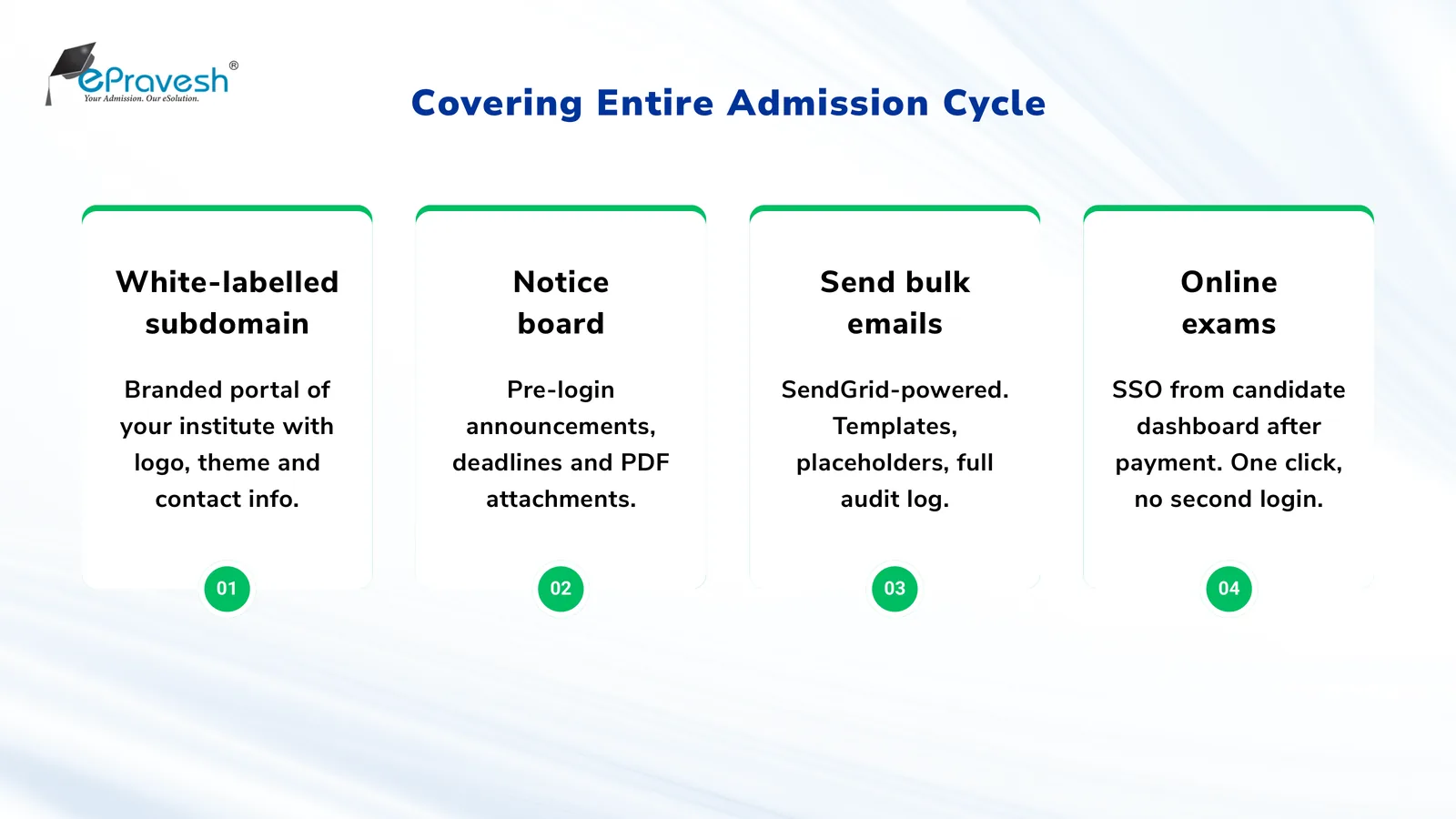
Advantages of the Online Admission Process
❌ Manual admission process
- Queues, printed forms, bank challans
- Illegible data re-keyed into Excel
- Weeks of reconciliation after close
- Status known only by phoning the office
✅ Online admission process
- Apply from any device, 24×7
- Validated data lands directly in the dashboard
- Payments verified & reconciled automatically
- Status, receipts and PDFs self-serve
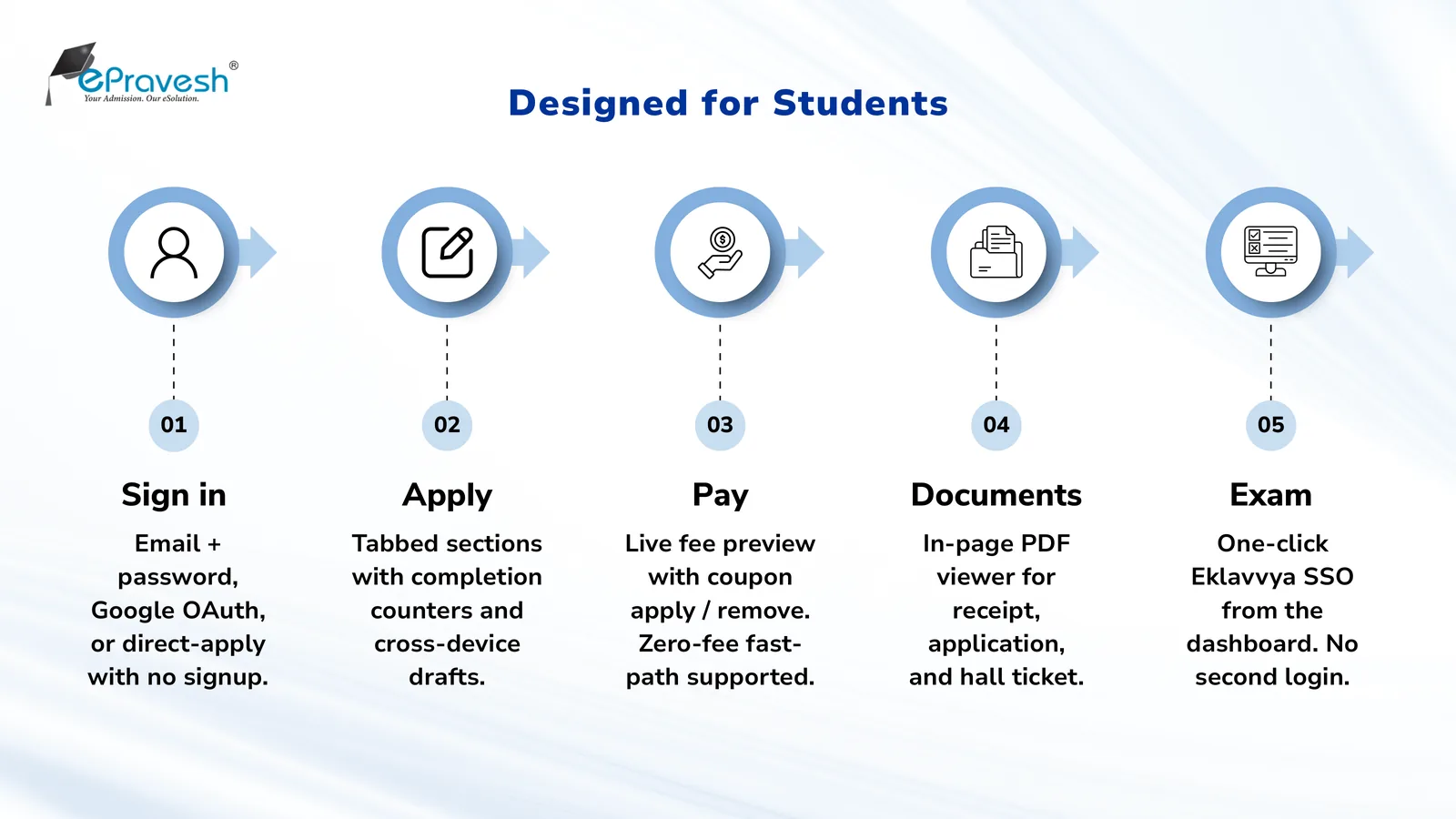
- For students — apply from anywhere, on any device; save a draft and finish later; pay by UPI, card or net banking; download the application PDF and payment receipt instantly; track status without calling the office.
- For institutes — clean, validated data instead of illegible paper forms; automatic payment reconciliation; one dashboard showing every application, document and payment; Excel exports for any downstream process.
- For parents — transparency. Deadlines, fee amounts and application status are visible in the portal rather than dependent on a phone call getting through.
Cost-Saving Factors of the Online Admission Process
Institutes save in four places. How much depends on your volume and how much of the cycle is still on paper, so treat these as the places to measure rather than a promised number:
- Printing and distribution — no printed prospectuses, forms or challans.
- Data entry — application data arrives typed and validated; nobody re-keys forms into Excel.
- Payment handling — no cash counters and no bank-challan reconciliation; the gateway confirms payments against the application, and cash or offline payments can still be recorded against a record by an admin so the ledger stays in one place.
- Support load — automatic confirmations and a self-service portal cut the "has my form reached you?" calls that consume front-office staff for weeks.
Plan your admission cycle
Every stage below takes calendar time, and the date classes start is usually fixed. Set that date and the planner works backwards to the day your admission notice has to go out.
Admission cycle planner
Enter the day classes start. The planner works backwards to the date your admission notice has to go out.
Stage lengths are typical working gaps, not rules. Your board, affiliating university or state admission authority may fix some of these dates, so check its schedule before you publish.
Who Does What in an Online Admission Process
1. Student / Parent
Fills the application through a section-by-section online form, uploads documents, photo and signature, pays the fee and downloads the receipt. Guest direct-apply means the first visit can go from Apply Now to paid application in one sitting.
2. Admission Admin
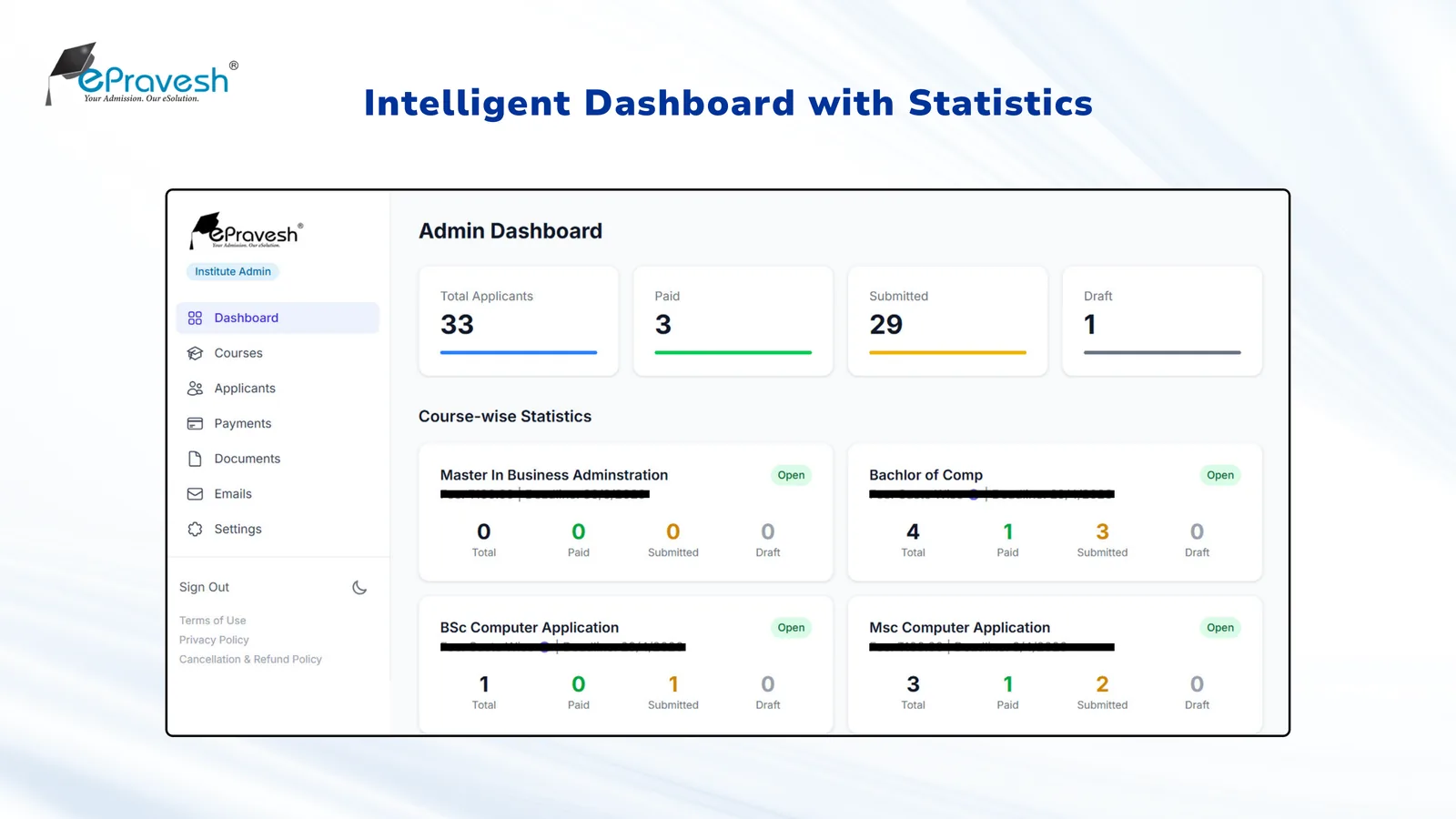
Designs the application form per course with a no-code form builder, sets deadlines and fees, opens or closes applications with a toggle, reviews applicants in the dashboard, approves edit requests, and exports applicants and payments to Excel.
3. Colleges
Each college or department runs its own courses with their own forms, fee structures and application-number series — under one institute account with consistent branding. This is what online admission software for colleges has to get right: departmental autonomy without a separate system per department.
4. University
A university oversees multiple colleges from a single system: centralized reporting, consistent category and fee policies, and merit lists generated on uniform rules. Admission software for universities is judged on exactly this — whether affiliated colleges can run their own intakes while the university still sees one consolidated picture.
5. Admission Support Team
Answers applicant queries through the published support channels. Routine questions — dates, fees, document requirements — can be handled by AI counseling agents on WhatsApp, voice and live chat, available as an add-on, so the human team handles only the exceptions. Where enquiries arrive faster than a team can answer them, an admission CRM keeps every enquiry attached to its applicant record from first contact through to a paid seat, so nothing is lost between channels.
Application Forms That Do the Screening For You
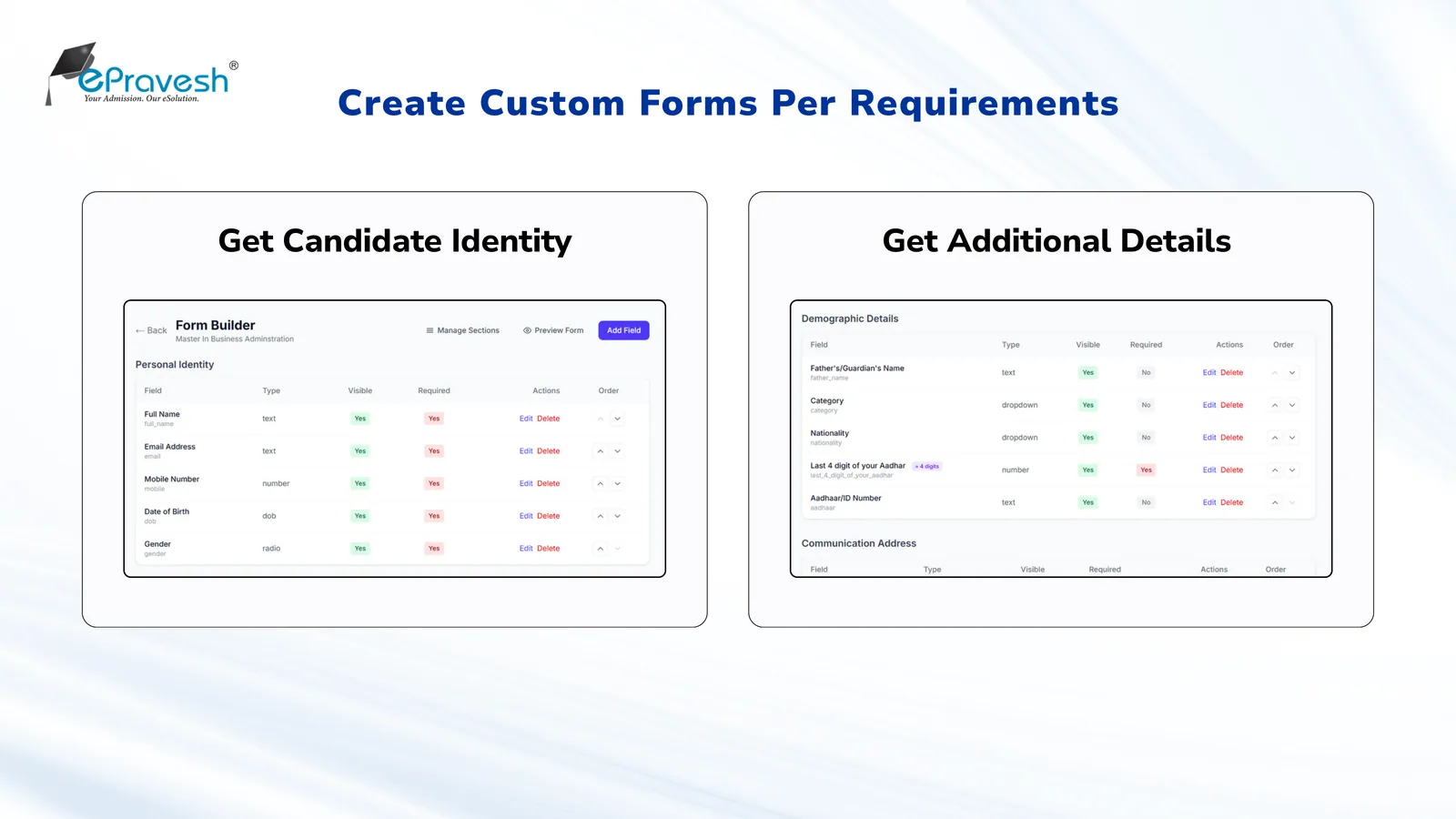
The application form is where data quality is decided. A modern form builder gives each course its own form built from sections and typed fields — text with length and format rules, dropdowns, preference rankings, repeating qualification tables, file uploads, photograph and signature.
Validation runs as the candidate types: formats are enforced, required fields block submission, and values can even be checked against a pre-approved list imported from Excel. Once a course has paid applications, the form locks against structural changes automatically, protecting candidates who already paid.
Online Fee Collection
Fee collection is the step where manual processes hurt most, and where automation pays back fastest:
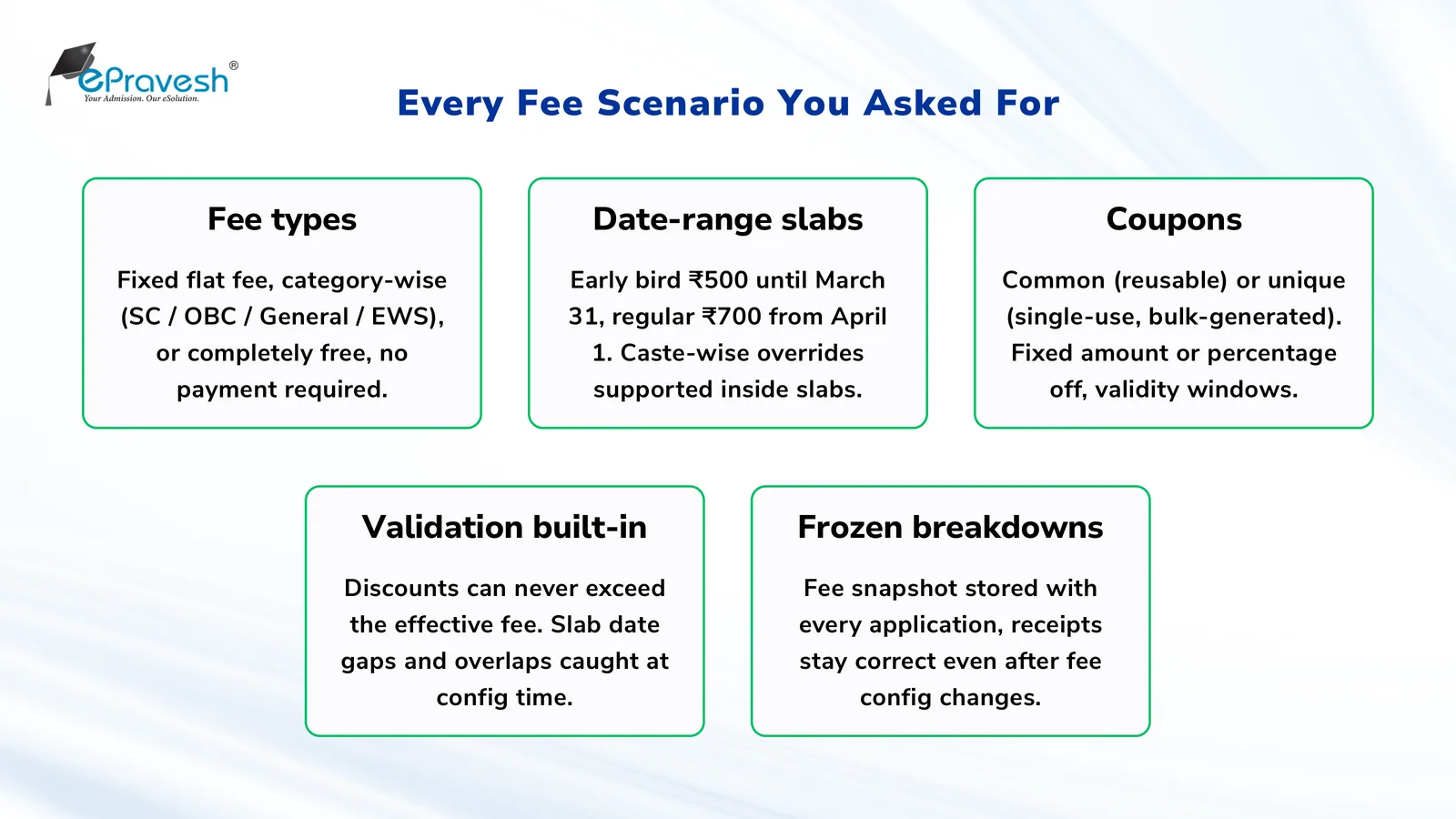
- All payment modes — UPI, debit/credit cards, net banking.
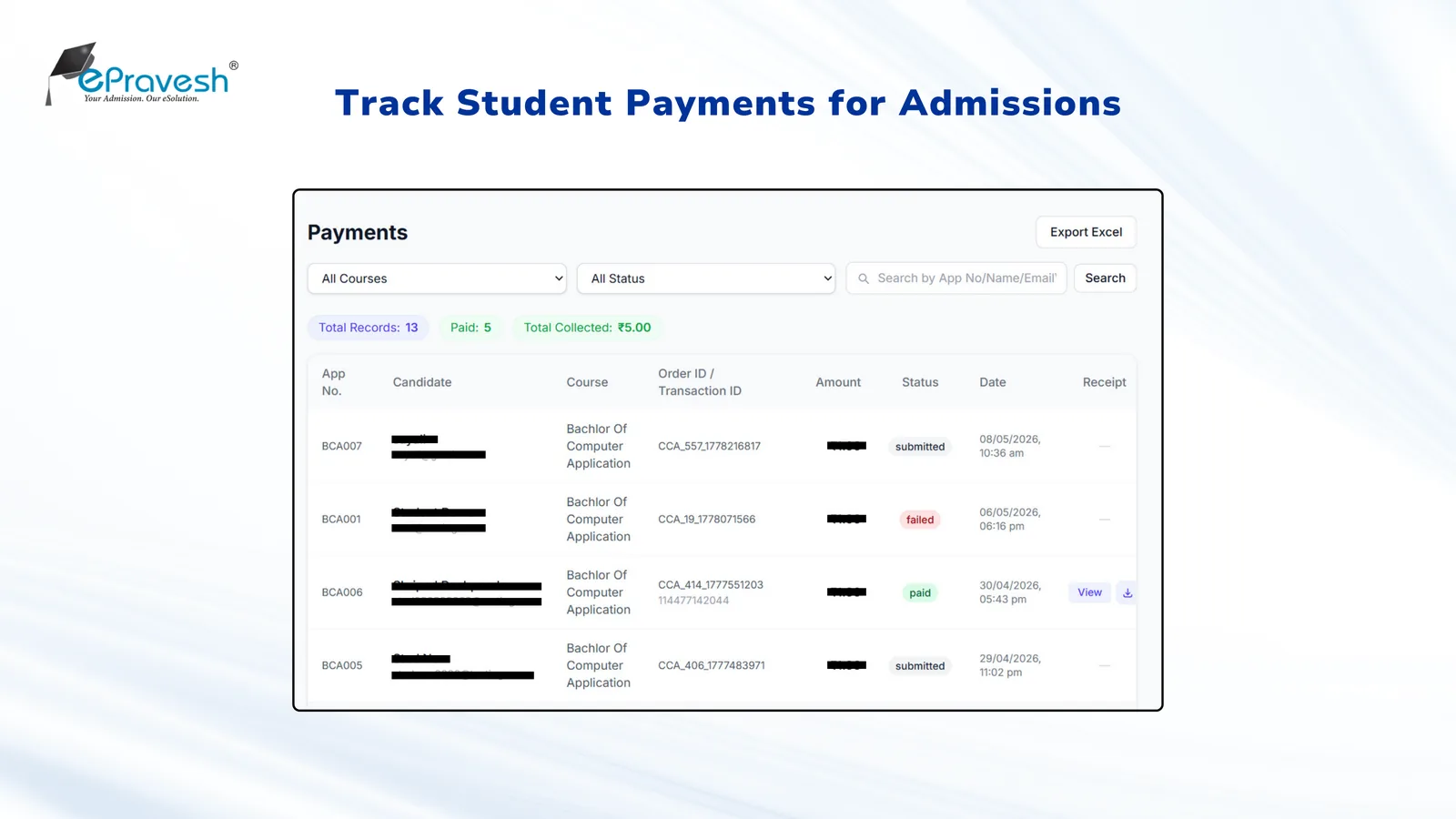
- Automatic verification — the gateway confirms the payment and the application is marked paid, with a background reconciliation job that re-checks pending and interrupted transactions. The cases that still need a person — a card debited with no confirmation, a duplicate attempt — surface as an exceptions queue instead of a month-end spreadsheet hunt.
- Structured fees — category-wise fee overrides and date-based slabs (early-bird and late fees) are applied by the system, not calculated by hand.
- Coupons and waivers — discount codes, including full waivers, apply at payment time.
- Instant receipts — every payer downloads a branded payment receipt PDF; finance gets an Excel export that matches the gateway settlement.
Document Collection and Verification
Every admission runs on documents — marksheets, category and identity proof, transfer certificates, migration certificates. Collecting them through the form is the easy half. Checking them is where admission teams lose days.
Uploads are collected against the application itself, in the file types and size limits each course requires, so a reviewer opens one applicant record instead of reassembling a candidate from email attachments.
Verification is an optional add-on. Document verification passes uploaded files through DocuExprt to extract the fields, compare them against what the candidate typed into the form, and flag mismatches or signs of tampering for a reviewer. Identity-database and DigiLocker checks are available where those services are enabled for your institute.
The decision stays with your team, and the distinction matters more than vendors usually admit. Uploading a document is not verifying it. Extraction accuracy is not authenticity accuracy — knowing what a document says, and knowing the document is genuine, are different problems. What this buys you is triage: the clean files stop consuming reviewer attention, and the exceptions rise to the top of the queue.
Entrance Examination for Admission
Courses that select through a test can send an eligible applicant straight into it. With the Eklavvya exam connection configured, the candidate launches the mapped exam from their ePravesh dashboard through single sign-on — no second login, no re-registering on a separate portal.
Setup happens per course: the course is mapped to an exam, batch and schedule, and eligibility is checked before launch, including paid status where the course requires it.
Hall tickets are generated from the application data you already hold, carrying your branding, the candidate's photo and signature, and whatever instruction rows you configure. Release follows your configured eligibility and publication rules — paying a fee is not automatically the moment a ticket appears, and the ticket does not invent a centre, seat or reporting time you have not set.
One boundary worth being clear about: the assessment itself is Eklavvya's. Question types, proctoring, delivery and result handling are configured and licensed there, not bundled into a base ePravesh subscription, so scope them alongside your admission setup rather than assuming them.
Online Merit List Generation
Shortlisting closes the loop. Merit lists rank applicants on rules your institution defines — a weighted score across several fields, a single field, or marks entered manually — with ordered tiebreakers and separate category ranks where regulations require them.
Scores can be imported from Excel and corrected before anything goes out. The list is prepared as a draft your team reviews first, then published to the portal with only the result details you choose to show, and every generation and publication step is logged.
A published rank is a ranking, not an offer. Seat allotment, counseling rounds, reservation-seat allocation and waitlist movement are separate processes your institution runs on top of the list — the merit list tells you the order, not who has a seat.
Watching the Cycle While It Is Still Open
Admission problems are cheap to fix in week two and expensive in week six. The analytics dashboard counts applications started, submitted and paid, and shows the start → submit → pay funnel per course.
Read it as a diagnostic, not a forecast. A wide gap between started and submitted usually means the form is too long or a field is failing validation quietly. A gap between submitted and paid usually means the fee step is where people stall. Both are fixable while the cycle is still running, but only if someone is looking.
Announcements go out through the portal's notice board — scheduled notices with attachments, visible before login, so applicants find dates and process changes without phoning the office. Worth noting: a notice published on the portal is a published notice. It is not the same thing as an email or WhatsApp message having gone out, and those are configured separately.
Connecting Admissions to the Rest of Your Systems
Admission data rarely stays in the admission system. Finance wants the payments, the ERP wants confirmed students, outreach wants the enquiry list.
Some connections are native: payments, email, file storage, sign-in and the configurable Eklavvya exam link. Moving admission data onward into a CRM, ERP or student information system is a different thing — a scoped automation add-on built on an automation layer (MCP, n8n, Make.com) rather than a switch you flip. See integrations.
What the scoping decides is the whole answer: which system, which fields, which direction, what triggers a sync, and what happens when one fails. A vendor logo on an integrations page is not a ready-made connector, and the honest response to "do you integrate with X" is always conditional on X's API and the data you actually need to move.
Who Can See What
An admission system holds personal data at scale — marks, category, identity documents, payment records, for every applicant in the cycle. It is worth asking how that is handled before you ask about features.
ePravesh describes role-based access so staff reach only the operations their role allows, institution-scoped records so one institute's applicants are never visible to another, HTTPS transport, a recorded fee breakdown against each payment, and file storage with rotating backups. Changes are traceable when someone needs to reconstruct what happened.
Then ask for the rest in writing — from us or any vendor. A feature list is not a compliance position, and certification scope, retention periods and recovery commitments belong in a document with a date on it, not on a marketing page. Request the current security documentation for the deployment you are actually buying.
Conclusion
The online admission process is no longer a differentiator — students expect it. What separates institutes now is execution: forms that validate as they're filled, payments that reconcile themselves, communication that answers before students ask, and analytics that show mid-cycle where applications stand.
See how ePravesh works end to end, or go straight to the setup that matches you — colleges, universities, schools or coaching institutes. Book a free demo and we'll map your current admission cycle onto the platform.
Frequently Asked Questions
What is an online admission process?
An online admission process is the end-to-end digital handling of student admissions — application forms, fee payment, document submission, shortlisting, merit lists and admission confirmation — through a web-based system instead of paper forms and counters.
What are the steps in an online admission process?
Publish the course with dates and fees, collect applications through an online form, accept the application fee online, verify uploaded documents, shortlist through merit lists or entrance exams, and confirm admission with the admission fee — with communication and analytics running throughout.
Where does an online admission process actually save money?
Savings come from four places — printing and distributing prospectuses and forms, manual data entry, bank-challan reconciliation, and the front-office time spent answering status calls. How much you save depends on your application volume and how much of the cycle you run on paper today, so size it against your own last cycle rather than a vendor average.
Can students without an account apply online?
Yes. Modern systems like ePravesh support guest direct-apply — a student clicks Apply Now, fills the form and pays, and an account is created automatically from the application. This removes the sign-up barrier that causes early drop-off.
How are application fees collected online?
Through payment gateways supporting UPI, debit/credit cards and net banking. Payments are verified automatically, receipts are generated instantly, and category-wise fees or early-bird and late-fee slabs are applied by the system without manual calculation.