
Never lose a payment you actually captured.
Razorpay or CCAvenue, signed webhooks, retry-safe checkout — plus three recovery layers that reclaim payments the browser dropped.








Let candidates pay however they want.
Razorpay or CCAvenue per institute, on a global account or your own credentials. Every payment auto-generates a branded receipt PDF.
UPI, cards, net banking, wallets
UPI, cards (Visa, MasterCard, RuPay, AmEx), net banking, wallets — with cryptographic webhook signature verification on every callback.
Encrypted order flow
Encrypted order creation with decrypted-response validation, plus optional sub-account settlement routing for group institutions.
Default or bring-your-own
Use the global default account or your own gateway credentials per institute — settlements land in the right place.
Auto receipt PDF
Every payment generates a receipt PDF with the fee breakdown, coupon, gateway, payment ID and institute branding.
No duplicate charges
A failed payment retries safely — the flow reconciles against the gateway, so no candidate is charged twice.
Confirmed capture only
An application flips to paid only on a confirmed capture with a matching amount — never on an optimistic client callback alone.
Three layers catch the money the browser dropped.
The money's already captured even when networks drop or tabs close — three read-only layers re-query the gateway and flip to paid only on a confirmed, amount-matched capture, logging each rescue.
Without recovery
- Candidate pays, tab closes before the callback returns.
- Application shows unpaid — money is stuck at the gateway.
- Candidate pays again or abandons; finance reconciles by hand.
- Support tickets, refunds and lost admissions.
With ePravesh recovery
- Create-order rescue re-checks a prior attempt before starting a new one.
- Background reconciliation worker sweeps pending payments and reconciles them.
- Manual override lets an admin resolve edge cases with a logged reason.
- Each rescue is recorded, and the flip to paid needs a confirmed, amount-matched capture.
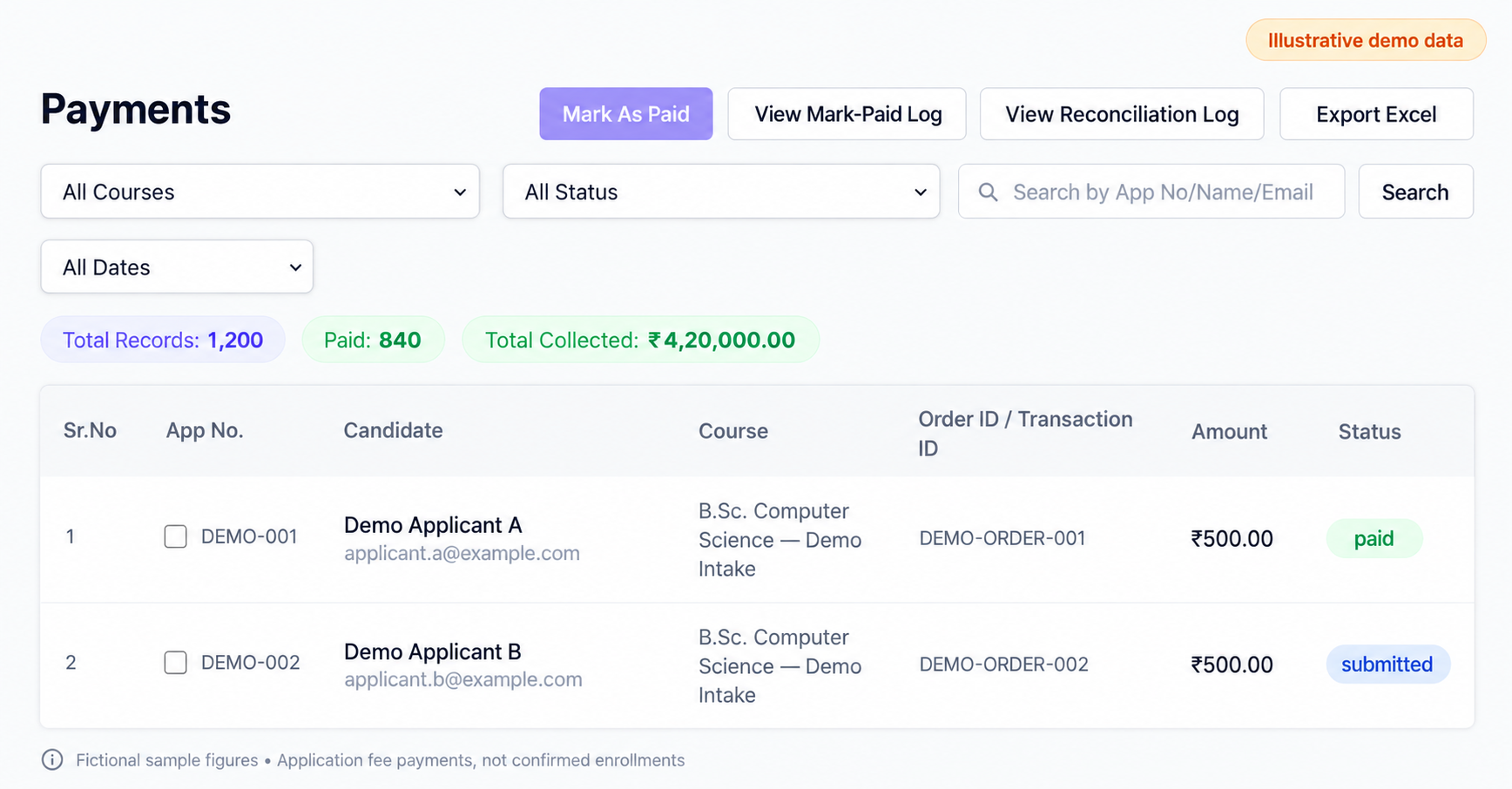
Handle cash, DD and admin corrections — with an audit trail.
Controlled admin resolution
Institute-admins mark a gated-eligible application as paid, with a required 500-character reason, immutable audit log and Excel export. Admins only — not a self-serve bypass.
Offline collection, on record
Record cash, DD, cheque or other offline modes with an offline receipt number; the candidate receipt renders as CASH-RCPT-{id}. Off by default.Configurable
Add the WhatsApp, voice, chat and email agents — applicants whose payment dropped mid-checkout get a proactive nudge and a walk back to a clean, retry-safe payment. See the Suite →
Paid-In-Cash is configurable, off by default (cash_payment_enabled); Mark-As-Paid is restricted to institute-admins with gated eligibility. AI counseling agents are an optional add-on.
One tap to paid — and it stays reconciled.
Four steps. Nothing is left hanging between the gateway and the application.
The applicant pays by UPI, card or net-banking through Razorpay or CCAvenue.
ApplicantA signature-verified webhook flips the application to paid.
ePravesh engineA background worker re-queries the gateway and rescues captured-but-unconfirmed payments.
ePravesh engineA branded PDF receipt with the full fee breakdown is issued.
ePravesh engineWhat institutes ask about collecting fees online.
Which payment gateways and methods does ePravesh support?
Razorpay and CCAvenue, selected per institute. Razorpay covers UPI, cards (Visa, MasterCard, RuPay, AmEx), net banking and wallets; CCAvenue uses an encrypted order flow with decrypted-response validation and optional sub-account settlement routing for group institutions. You can run on the global default account or plug in your own gateway credentials so settlements land in your bank.
What happens if the browser closes mid-payment?
The money is recovered without the candidate paying twice. Three independent layers catch it: create-order rescue re-checks a prior attempt before starting a new one, a background reconciliation worker sweeps pending payments and re-queries the gateway, and an admin can manually resolve edge cases with a logged reason. Each rescue is recorded.
Can a candidate be charged twice on a retry?
No — a failed payment retries safely because the flow reconciles against the gateway before creating a new order. An application also flips to paid only on a confirmed capture with a matching amount, never on an optimistic client callback alone, and Razorpay callbacks are cryptographically signature-verified.
Does every payment produce a receipt?
Yes. Every payment auto-generates a branded receipt PDF carrying the fee breakdown, any coupon applied, the gateway, the payment ID and your institute branding. Offline collections get one too — cash, DD or cheque recorded via Paid-In-Cash renders the candidate receipt as CASH-RCPT-{id}.
Can we accept cash or a demand draft?
Yes, through Paid-In-Cash, which is configurable and off by default. It records cash, DD, cheque or other offline modes against an offline receipt number. Separately, Mark-As-Paid lets institute-admins resolve a gated-eligible application with a required 500-character reason, an immutable audit log and Excel export — admins only, not a self-serve bypass.
Stop leaking admissions at the payment step.
Book a demo and see the loss-recovery layers, signed webhooks and branded receipts on real transactions.